 WowAddons
Polyglotte
von ludus
Nichts geöffnet? Dafür brauchst du WowAddons, kostenlos: Es packt Polyglotte mit einem Klick in dein Spiel und hält es aktuell.
- Für Windows herunterladen und öffne es dann.
- Polyglotte installieren: WowAddons fügt es deinem Spiel hinzu.
WowAddons läuft auf deinem Computer: Öffne diese Seite dort.
Von Hand, ohne WowAddons: die .zip, zum Entpacken in World of Warcraft/_forever_/Interface/AddOns.
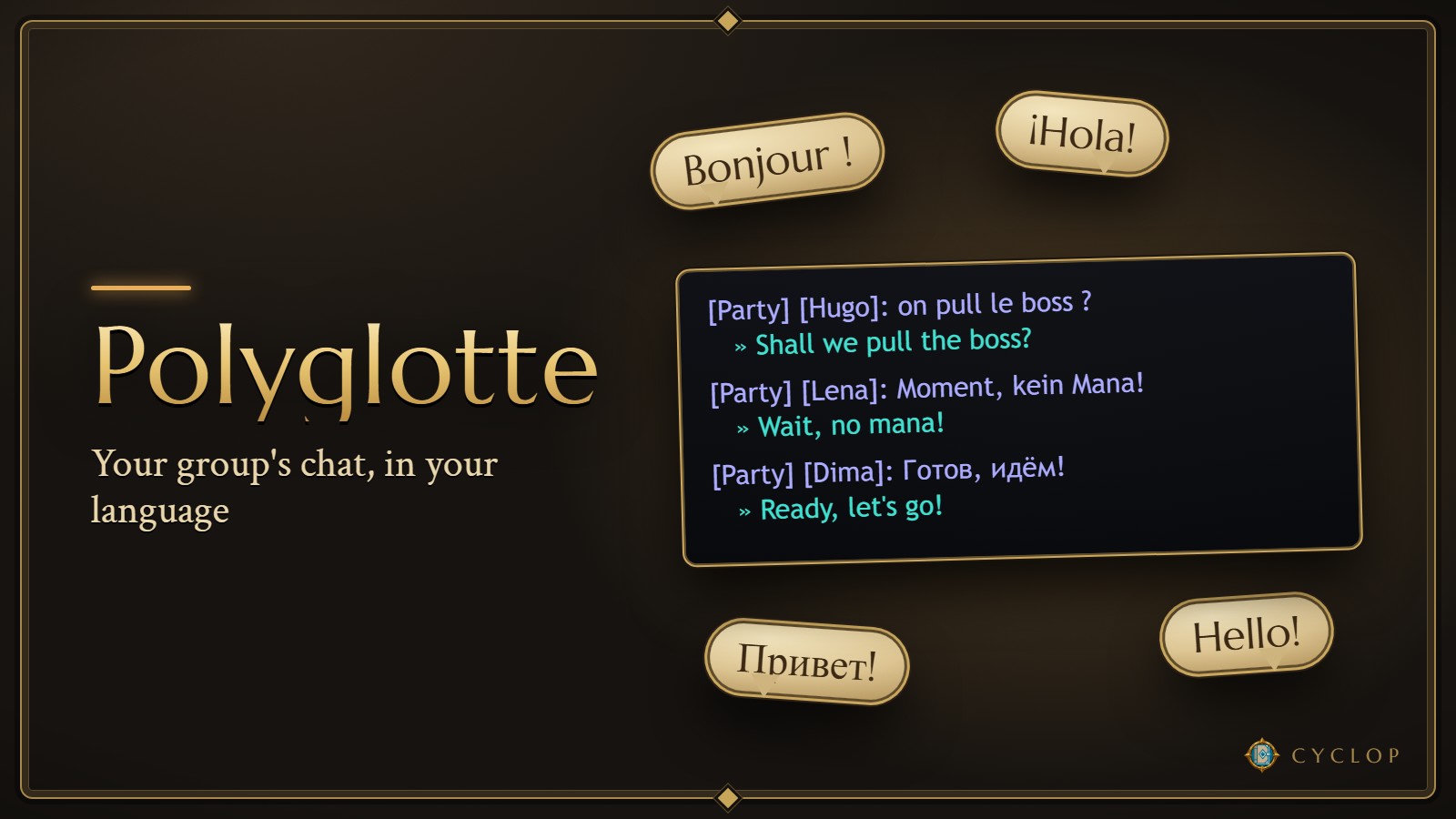
Übersetzer für Dungeongruppen: was deine Gruppe auf Französisch, Englisch, Deutsch, Spanisch oder Russisch schreibt, erscheint in deiner Sprache, in Türkis, und ein Fenster sendet die üblichen Ansagen in allen Sprachen der Gruppe. /trad
Polyglotte translates your dungeon group's chat into your language. When a player writes in French, English, German, Spanish or Russian, the words it knows show again under the message, in turquoise, in yours. It works offline, from its own dictionary.
What it translates
- The group, raid and instance chat, whispers, the group-finding channel, and /say or /yell inside a dungeon.
- Dungeon calls and slang: pull, wait for mana, kick, CC, "ta pull toute l'armée", "esperad", "жду ману"...
- Classes, roles, loot words, and every WoW Forever dungeon's name and nickname (SFK, BRD, Mortemines, Todesminen...).
- Only the words it knows: a sentence it does not know stays as it was written.
The panel
- It shows by default in a group or a dungeon, with the usual calls: Ready?, Wait!, Mana break, Pulling, Interrupt!, Crowd control!, Thanks...
- A click sends the sentence in every language of the group: yours, the one each player's Polyglotte announces, the one guessed from what the others write, English for the rest.
- Its X hides it;
/trad panelbrings it back. Drag it where you like.
Commands
/tradthe options;/trad onoroff./trad lang fr(en, de, es, ru, auto) the language you read./trad color 2ee6d6the colour of the translations./trad test <text>what Polyglotte shows for a text.
Kommentare
Was funktioniert, was kaputtgeht, was du dir als Nächstes wünschst: Der Autor liest hier alles.
Anmelden, um einen Kommentar zu schreiben
Noch kein Kommentar.