 WowAddons
BagSnitch
von cyclop · 2 Installationen
Nichts geöffnet? Dafür brauchst du WowAddons, kostenlos: Es packt BagSnitch mit einem Klick in dein Spiel und hält es aktuell.
- Für Windows herunterladen und öffne es dann.
- BagSnitch installieren: WowAddons fügt es deinem Spiel hinzu.
WowAddons läuft auf deinem Computer: Öffne diese Seite dort.
Von Hand, ohne WowAddons: die .zip, zum Entpacken in World of Warcraft/_forever_/Interface/AddOns.
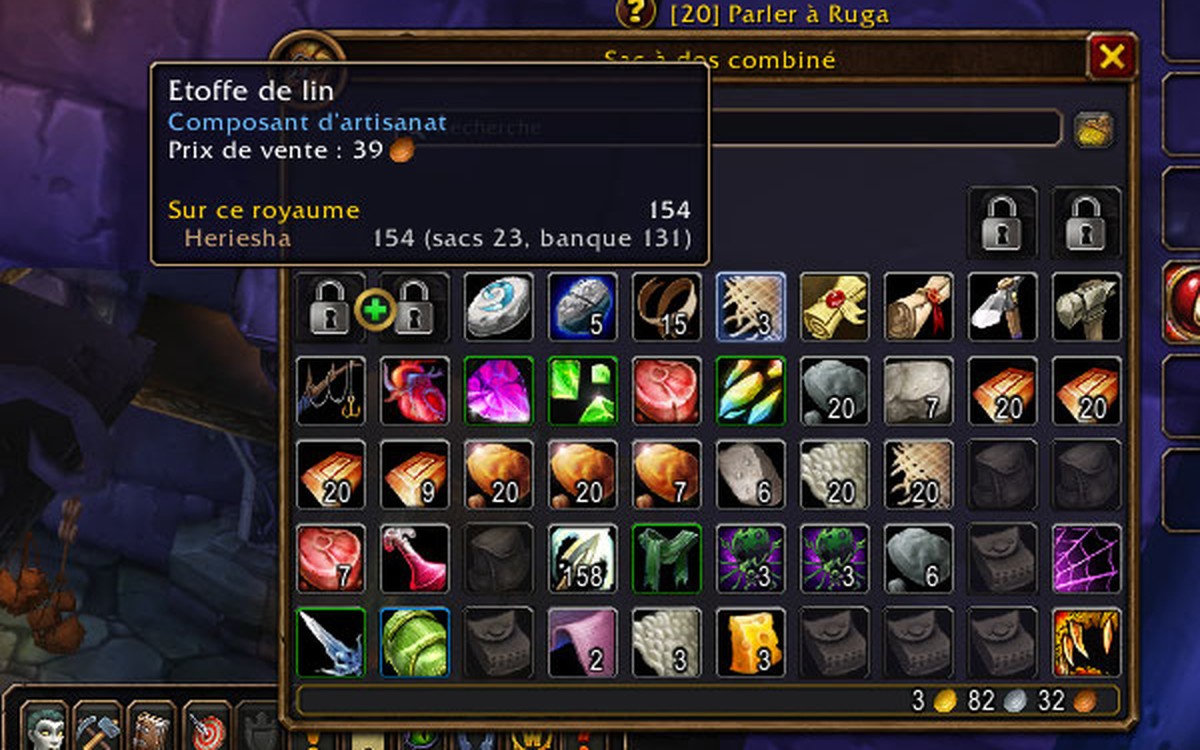
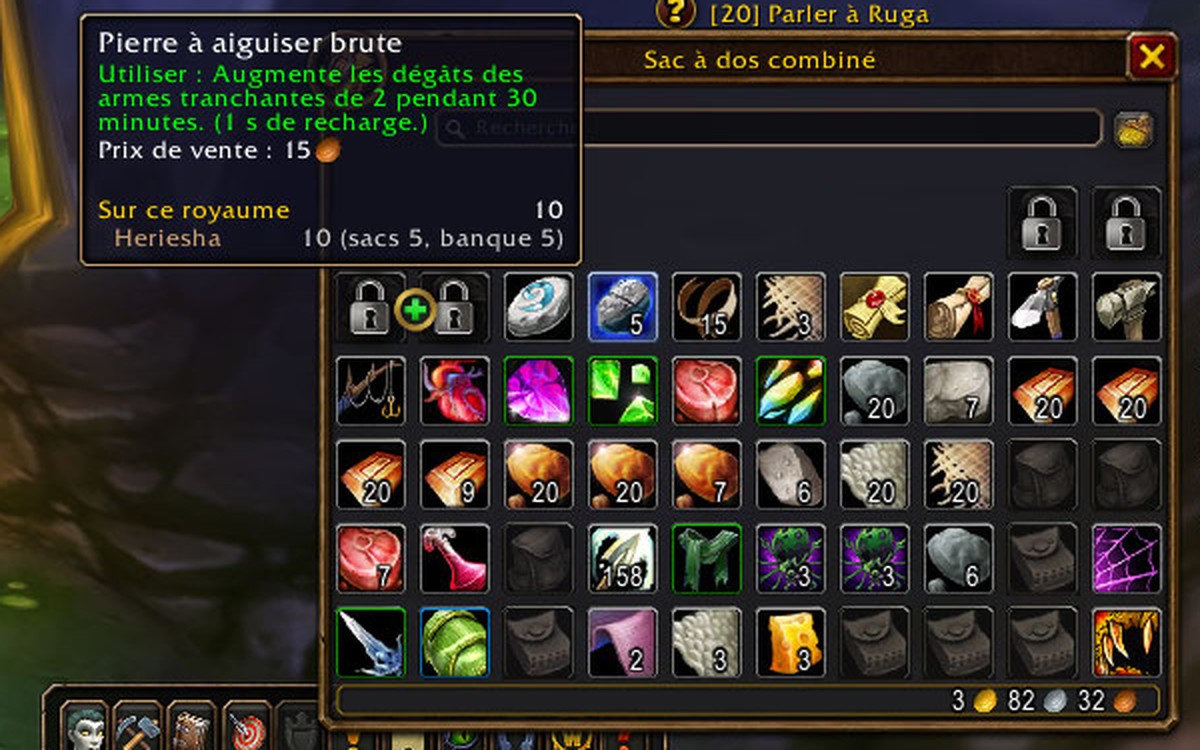
Snitches on your alts: every item tooltip tells how many you own on this realm, all characters together, bags, bank and warband bank. Hover your gold for every character's gold. The minimap button opens a window with each character's bags and bank, slot by slot.
BagSnitch
Your alts are hiding copper bars. BagSnitch tells.
Hover any item, in your bags, the bank, a profession window or a chat link,
and its tooltip says how many you own on this realm, every character
together:
```
On this realm 32
Thrall 12 (bags 8, bank 4)
Warband bank 20
```
Hover the gold at the bottom of your bags, and it snitches on your gold too:
```
Gold on this realm 1,736g
Thrall 1,234g
Jaina 2g
Warband bank 500g
```
Want to see it all? Click the bag on the edge of your minimap, or type
/bagsnitch (or /bs). The window has a tab for each character of the
realm, plus one for the warband bank, and shows their bags and bank slot by
slot, as you last saw them:
- By bag: each bag and each bank tab in its own grid, as in the game.
- Merged: all the bags in one grid, the bank in another, empty slots last.
Hover a slot for the item's tooltip, shift-click it to link it in chat. Drag
the minimap button to move it around the minimap; /bagsnitch icon hides it
or brings it back.
- Bags are counted live; a character's bank once you have opened it there.
- A character's gold once it has logged in with this version.
- Only the realm you are on: your other realms stay out of it.
- Nothing to set up. English and French.
Log in each character once and open its bank once, and the snitch knows
everything.
Versionen
- v0.3.2 2026-11-15 · 11 KB
- v0.3.1 2026-11-14 · 11 KB
- v0.3.0 2026-11-13 · 10 KB
- v0.2.0 2026-11-09 · 3 KB
- v0.1.0 2026-11-06 · 3 KB
Kommentare
Was funktioniert, was kaputtgeht, was du dir als Nächstes wünschst: Der Autor liest hier alles.
Anmelden, um einen Kommentar zu schreiben
Noch kein Kommentar.