 WowAddons
Rested & Fed
by ayk
Nothing opened? It takes WowAddons, free: it puts Rested & Fed in your game in one click and keeps it up to date.
- Download for Windows then open it.
- Install Rested & Fed: WowAddons adds it to your game.
WowAddons runs on your computer: open this page there.
By hand, without WowAddons: the .zip, to unzip into World of Warcraft/_forever_/Interface/AddOns.
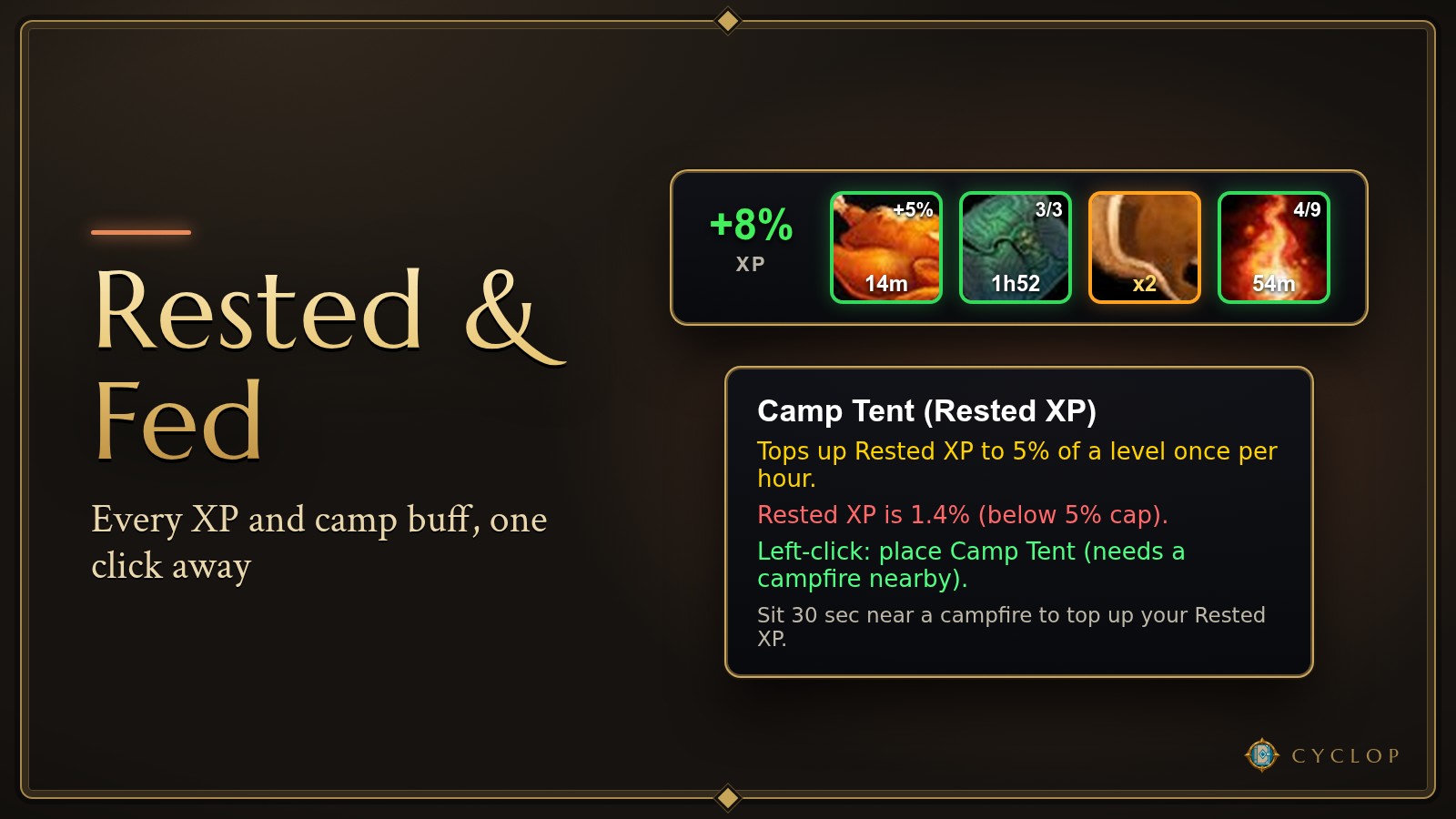
Compact HUD bar for WoW Forever leveling XP and camp buffs (Well Fed +5% kill XP, Cozy Sleeping Bag +3% XP, Camp Tent rested XP, Camp Benefits): 1-click use for items you carry, and how to get what you miss. /rf to toggle.
Rested & Fed is a compact, non-blocking WoW Forever HUD bar that tracks your leveling XP and camp buffs, applies items you carry in one click, and tells you how to get what you are missing.
What it does
- Well Fed (+5% kill XP): detects all 112 live WoW Forever cooked foods and drinks that grant the +5% kill XP bonus (15 min base, up to 30 min with the Gourmand Legacy Perk). Picks the highest usable XP food in your bags suited to your class so one click eats it.
- Cozy Sleeping Bag (+3% kill and quest XP): tracks stacks (1/3 to 3/3, 2h duration, persists through death) and the 1h cooldown. Unlocks at level 14 via a 7-step quest chain starting in Westfall (37.4, 50.7) for Alliance or The Barrens (46.4, 73.9) for Horde; clicking the icon before you own it opens the Cozy Sleeping Bag GoblinGPS guide if installed, or places a map pin at the start.
- Camp Tent (Rested XP cap): checks your current Rested XP (
GetXPExhaustion) against the 5% cap (20% with Adventurer's Tent) and the 1h Boosted Rest cooldown, so you never waste a tent when already above the cap. Crafted with Leatherworking 20 (5 Light Leather) and placed next to any campfire. - Camp Benefits (1h campfire buffs): tracks the 1h camp stat buffs (Fish Bowl, Enchanted Lute, Camp Chair, First Aid Kit, Sharpening Wheel, Lodestone, Incense Candle, Faction Banner, Mana Well), shows live sitting progress, and lets you place your best campfire kit in one click (can be toggled off in Settings).
- Live XP summary badge: shows your current kill XP bonus (
+8%,+5%,+3%,+0%), hover for kill XP, quest XP and Rested XP %.
How to use the addon
- Left-click an icon (when missing, expiring or incomplete, out of combat): eats your best XP food, unrolls your Cozy Sleeping Bag, places your Camp Tent or places a Campfire Kit.
- Hover any icon: shows live status, exact bonus, how to get the item and how to apply it.
- Drag the
+X% XPbadge (or Shift-drag any icon) to move the bar anywhere on screen. - Right-click the bar or any icon to hide a single buff, lock position, toggle Camp Benefits, toggle hide in combat or at max level, or open Settings.
- Commands:
/rfor/restedtoggles the bar (/rf show,/rf hide,/rf lock,/rf options,/rf status,/rf reset). Also available from the minimap Addon Compartment and Esc > Options > AddOns > Rested & Fed. - Available in all 11 game languages: English, French, German, Spanish (Spain and Latin America), Brazilian Portuguese, Italian, Russian, Korean, Simplified Chinese and Traditional Chinese.
Questions
- Why is Camp Tent shown green (OK) when I did not use a tent? In WoW Forever, Camp Tent only tops up Rested XP to 5% of a level and has no effect if your Rested XP is already above 5%. Rested & Fed marks it OK so you keep your 1h cooldown until your rested bar drops below 5%.
- Why does clicking a green active buff not consume my item? To avoid wasting food, a 1h Sleeping Bag cooldown or a campfire kit on an accidental click, 1-click use only activates when the buff is missing, incomplete (
< 3/3stacks) or below your expiring alert threshold (default 5 min, configurable in Settings). - Does it stay out of the way during fights and at level 60? Yes: by default it hides automatically in combat, while dead, on flight paths, in PvP instances and at max level (60). Every option can be changed in Settings.
Versions
- v1.0.0 2026-11-27 · 52 KB
Comments
What works, what breaks, what you would like next: the author reads it all here.
Sign in to leave a comment
No comment yet.